
Description
Product Overview
Mixcraft 8 Home Studio is a comprehensive music creation platform designed for creators who need a powerful yet easy‑to‑use solution. It supports up to 16 audio and virtual instrument tracks, integrates seamlessly with audio interfaces, guitars, and microphones, and includes six high‑quality virtual instruments along with 20 versatile effects such as reverb, delay, EQ, chorus, and flanger. The built‑in virtual mixer mirrors a hardware mixer with individual volume controls and three‑band EQ for each channel, giving you precise control over every element of your mix. The extensive audio library features more than 6,500 loops and sounds sourced from freesound.org, covering every musical genre imaginable.
![[Product front view showing all components]](https://www.mintiq.store/wp-content/uploads/2026/05/222e3e29561a4007b93f862278422e80.jpg)
Usage
Whether you are recording a band, producing electronic beats, scoring a video, or podcasting, Mixcraft adapts to your workflow. The software works with any standard audio interface, allowing you to plug in guitars, keyboards, or microphones directly. Its performance panel lets you trigger eight synchronized audio and MIDI clip grooves for live shows or practice sessions. Video creators can add MP4 video, text, photos, and effects, turning a simple track into a polished music video. Ideal for home studios, classrooms, and small production houses, Mixcraft provides the tools needed to create professional‑grade content without a steep learning curve.
Why Choose Us
Mixcraft stands out with its blend of depth and simplicity. The software delivers a full‑featured DAW experience—multi‑track recording, MIDI editing with piano roll, step, and notation editors, and printable scores—while remaining accessible to beginners. Regular updates ensure compatibility with the latest operating systems and hardware. Our dedicated support team offers prompt assistance, tutorials, and a vibrant user community, guaranteeing you can overcome any hurdle quickly.
Key Features
- Record up to 16 audio and MIDI tracks for full‑band productions.
- Six built‑in virtual instruments and 20 effects give instant creative options.
- Access a library of 6,500+ loops and freesound.org samples for any genre.
- Virtual mixer with per‑channel volume and three‑band EQ mimics hardware control.
- Responsive customer support and regular software updates keep you productive.
FAQ
Can I use external audio interfaces with Mixcraft?
Yes, Mixcraft works with any standard audio interface, allowing you to connect microphones, guitars, keyboards, and other instruments.
Does Mixcraft support video editing?
Mixcraft includes a video track that supports MP4 format, letting you add text, effects, photos, and synchronize video with your music.
How many virtual instruments are included?
The software ships with six high‑quality virtual instruments covering piano, synth, drums, and more.
Is there a loop library for different music styles?
Yes, over 6,500 royalty‑free loops and sounds from freesound.org are included, covering rock, pop, hip‑hop, electronic, and orchestral genres.
What editing options are available for MIDI?
You can edit MIDI notes using the piano roll, step editor, or notation editor, and even print sheet music directly from the program.
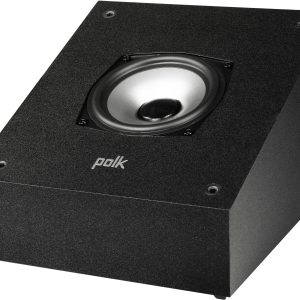 Polk Audio Monitor XT90 Tower Height Module Pair Midnight Black
Reviews
There are no reviews yet.